
Article Schema: Complete Implementation Checklist for Blog and Content Publishers


Table of Contents +
- Which Schema Types Does Every Article Need?
- Two Schema Layers That Strengthen Your Publisher Profile
- When Should You Add FAQ, NewsArticle, or BlogPosting Schema?
- How Do You Validate Schema Before Publishing?
- What Does Schema Markup Actually Do for Rankings?
- Your Schema Implementation Roadmap
- Common Questions About Article Schema
- References & Further Reading
An article schema checklist for content publishers: required types, recommended layers, and validation before you publish.
Does article schema still matter now that Google has quietly retired some rich results and AI answer engines are rewriting how people find content? It's a fair question, and the honest answer is: it depends on what you expect the markup to do. Schema won't lift a thin post up the rankings-but skip it, and you disqualify perfectly good content from the enhanced result cards and AI citations it would otherwise earn.
The hesitation is understandable. There's genuine uncertainty about whether structured data is worth the implementation effort, and that indecision quietly costs you visibility on two fronts at once. Get the markup wrong-or leave it out-and search crawlers silently ignore your pages for rich results while AI engines pass over you for competitors who spelled out their author, date, and headline in machine-readable form. If you want the full vocabulary behind every schema type before we get tactical, our complete guide to structured data for SEO lays that groundwork.
This checklist walks through exactly what to implement, in priority order: the required Article types, the recommended supporting layers, the optional specialist additions, and the validation steps that keep broken markup out of production.
Which Schema Types Does Every Article Need?
Every article needs the Article type-or a subtype like BlogPosting or NewsArticle-carrying four core fields: headline, image, datePublished, and author. Together they tell search engines and AI systems what the piece is, when it appeared, and who stands behind it. This is the foundation every other layer of markup builds on.
Put simply, article schema is a block of JSON-LD-the format Google recommends over Microdata and RDFa because it keeps structured data separate from your visible HTML, so a content edit can't accidentally corrupt your layout. Using the JSON-LD format lets search engines accurately identify website information and improves visibility in results. If you've been wondering what article schema actually is, that's it: a machine-readable label for metadata a crawler would otherwise have to guess at.
Four fields form the non-negotiable core, and structured data in article content increases visibility through search engine optimization and enables the rich results that draw the eye in a crowded SERP:
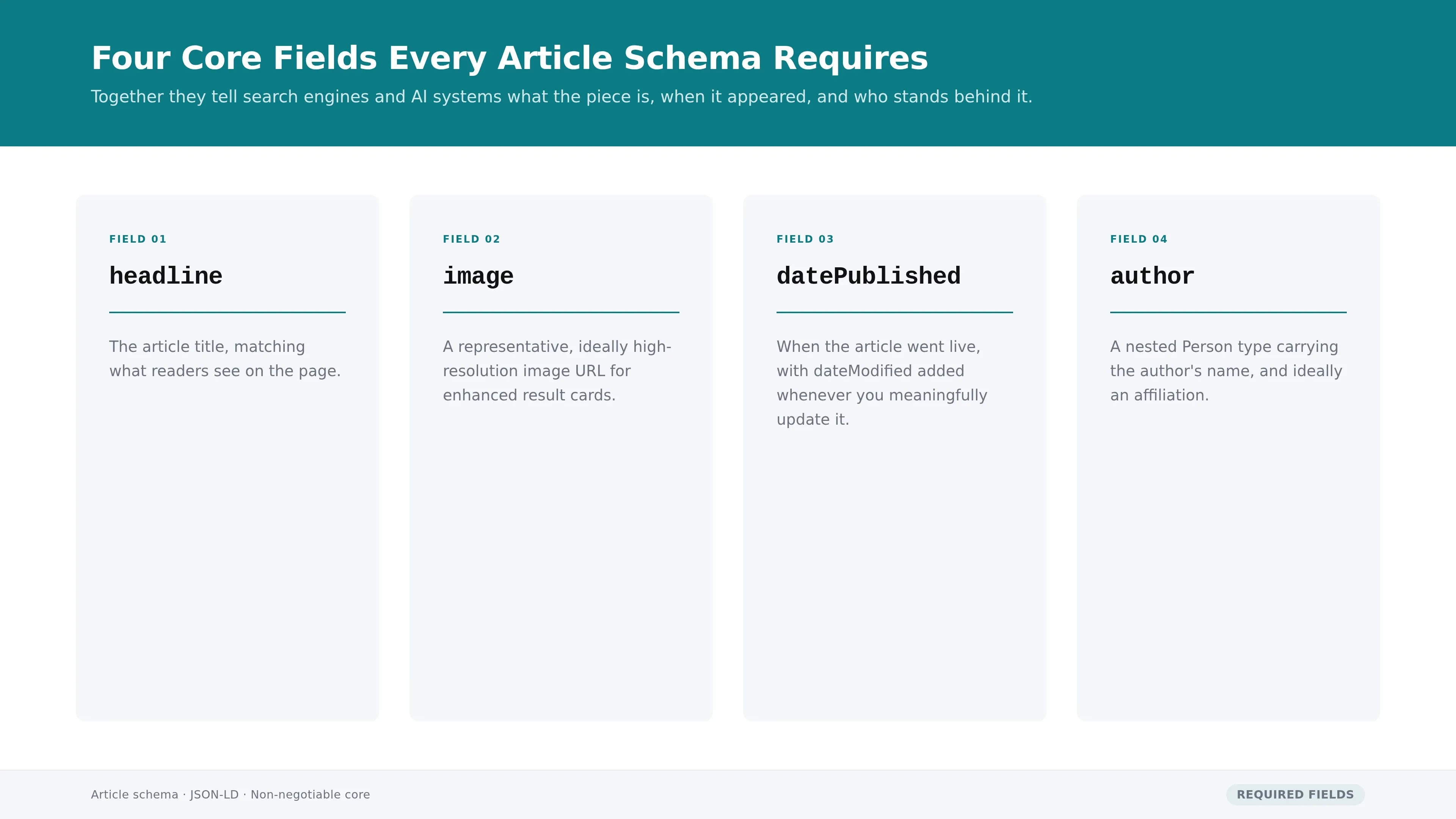
- headline - the article title, matching what readers see on the page.
- image - a representative, ideally high-resolution image URL for enhanced result cards.
- datePublished - when the article went live, with dateModified added whenever you meaningfully update it.
- author - a nested Person type carrying the author's name, and ideally an affiliation.
A minimal article schema markup example, then, is a single JSON-LD object that declares the type as "Article," names the headline, points to an image URL, states the publication date, and nests an author object-nothing more exotic than that to clear the baseline. Get those four right and you've satisfied the fields search engines look for first.
One decision to make up front is which Article subtype fits. A standard blog post is best served by the BlogPosting subtype, which inherits every Article field and signals the content format more precisely-our complete BlogPosting implementation guide covers the field-by-field detail. Reserve the more specialized subtypes for the content they actually describe, which we'll get to shortly.
GetTraffic writes and publishes SEO content automatically - articles that build authority and drive organic traffic - start your free trial.
Two Schema Layers That Strengthen Your Publisher Profile
Beyond the Article type, two additions strengthen your visibility. Organization schema establishes who publishes the content, and BreadcrumbList schema maps where the article sits in your site's structure. The first builds publisher authority and entity recognition; the second helps search engines display navigational breadcrumbs and understand your content hierarchy.
Organization schema tells search engines and AI systems which entity stands behind the article. At minimum it declares your publication's name and logo; adding sameAs links to your verified profiles elsewhere on the web reinforces entity recognition and helps disambiguate your brand from similarly named ones. Pair it with the Article type so every post inherits clear publisher context instead of floating unattributed.
BreadcrumbList schema does the structural work. It encodes the path from your homepage down to the article-say, Home to Blog to Category to Post-so search engines understand where the piece fits and can render breadcrumb trails in results. For publishers with deep archives, that hierarchy signal helps crawlers grasp topical relationships across the whole site.
Neither type replaces the Article markup; they surround it. Think of the required layer as describing the article itself and the recommended layer as describing its context-who made it, and where it lives. Together they turn an isolated page into a clearly attributed, well-situated piece of a larger, coherent publication.
When Should You Add FAQ, NewsArticle, or BlogPosting Schema?
Add specialist schema when your content genuinely warrants it. FAQPage schema fits pages with real question-and-answer sections and now serves mainly to boost AI answer engine citation. NewsArticle suits timely journalism, while BlogPosting fits standard blog content. Match the type to the content-deploying the wrong subtype signals nothing useful, and can actively mislead.
FAQPage schema for AI citation
If a page contains a genuine FAQ section, FAQPage schema marks up each question-and-answer pair. Its role has shifted: since Google stopped showing FAQ rich results for most non-government, non-health sites, the payoff now lives in machine-readability for AI engines rather than SERP display. That matters more than it sounds-FAQ schema is associated with significantly higher chances of being recognized or cited by AI chat systems, with one analysis linking it to 45% more citations across ChatGPT, Perplexity, and Gemini. Our deep dive on FAQPage schema and AI citations unpacks the evidence.
NewsArticle and BlogPosting subtypes
NewsArticle schema is the right call for timely, journalistic content-reporting, press releases, breaking coverage-where recency and publisher credibility carry weight. BlogPosting schema covers the everyday post: how-tos, opinion, evergreen explainers. Both inherit the Article fields, so switching subtype costs you nothing in metadata but sharpens the signal about what kind of content you're publishing. Don't apply newsarticle schema to an evergreen tutorial just because it feels weightier-use the type that matches reality.
The guiding rule for this whole tier: only add what your content supports. Marking up an FAQ section that doesn't exist, or claiming news status for a listicle, invites mismatches that undermine trust rather than build it.
How Do You Validate Schema Before Publishing?
Validate every article's schema before it goes live using two free tools. Google's Rich Results Test confirms rich result eligibility, and the Schema.org Validator checks that your JSON-LD is syntactically correct and semantically sound. Invalid markup is silently ignored by crawlers-so validation isn't optional, it's what keeps broken schema out of production.
Run both tools on every article, because they catch different problems. The Rich Results Test tells you whether Google can read your markup and which rich result types the page qualifies for. The Schema.org Validator goes deeper on correctness, flagging misspelled properties, wrong value types, and structural errors that would make a crawler discard the block entirely. Structured data, entity recognition, and authoritative sourcing are critical for visibility across both traditional search and AI systems, and validation is how you confirm the structured-data half is actually doing its job.
Beyond syntax, check field completeness. A technically valid block that omits author or datePublished passes the parser but leaves citation-relevant signals on the table. Walk the same checklist for every article:
- Does the Article (or subtype) block include headline, image, datePublished, and author?
- Do the schema values match what's visible on the page-same headline, same author, same date?
- Are Organization and BreadcrumbList present and pointing to the right entities?
- Does the JSON-LD parse cleanly with zero errors in both validators?
Doing this by hand for every post is where publishing pipelines stall. Manual testing across two tools, interpreting error messages, then re-checking after every edit adds friction to each publish. Automation removes it: schema generator tools build valid markup from your content and validate it before anything reaches the live index-our comparison of schema markup generator tools covers the options for automating this step.
What Does Schema Markup Actually Do for Rankings?
Schema markup does not improve your search rankings. It makes content eligible for rich results and machine-readable for AI engines-but ranking is decided by content helpfulness, originality, and authority, evaluated independently of whether markup is present. Think of schema as a verification layer that confirms signals your content already shows, not a ranking booster.
Here's the mechanism the myth gets wrong. Google evaluates content on helpfulness, originality, and E-E-A-T signals; the presence or absence of markup doesn't enter that calculation. Schema earns you eligibility for a visibility format-the enhanced card, the AI citation-but the content still has to be good enough to win it. Overall page quality is a strong predictor of citation, and schema amplifies existing quality signals rather than substituting for them.
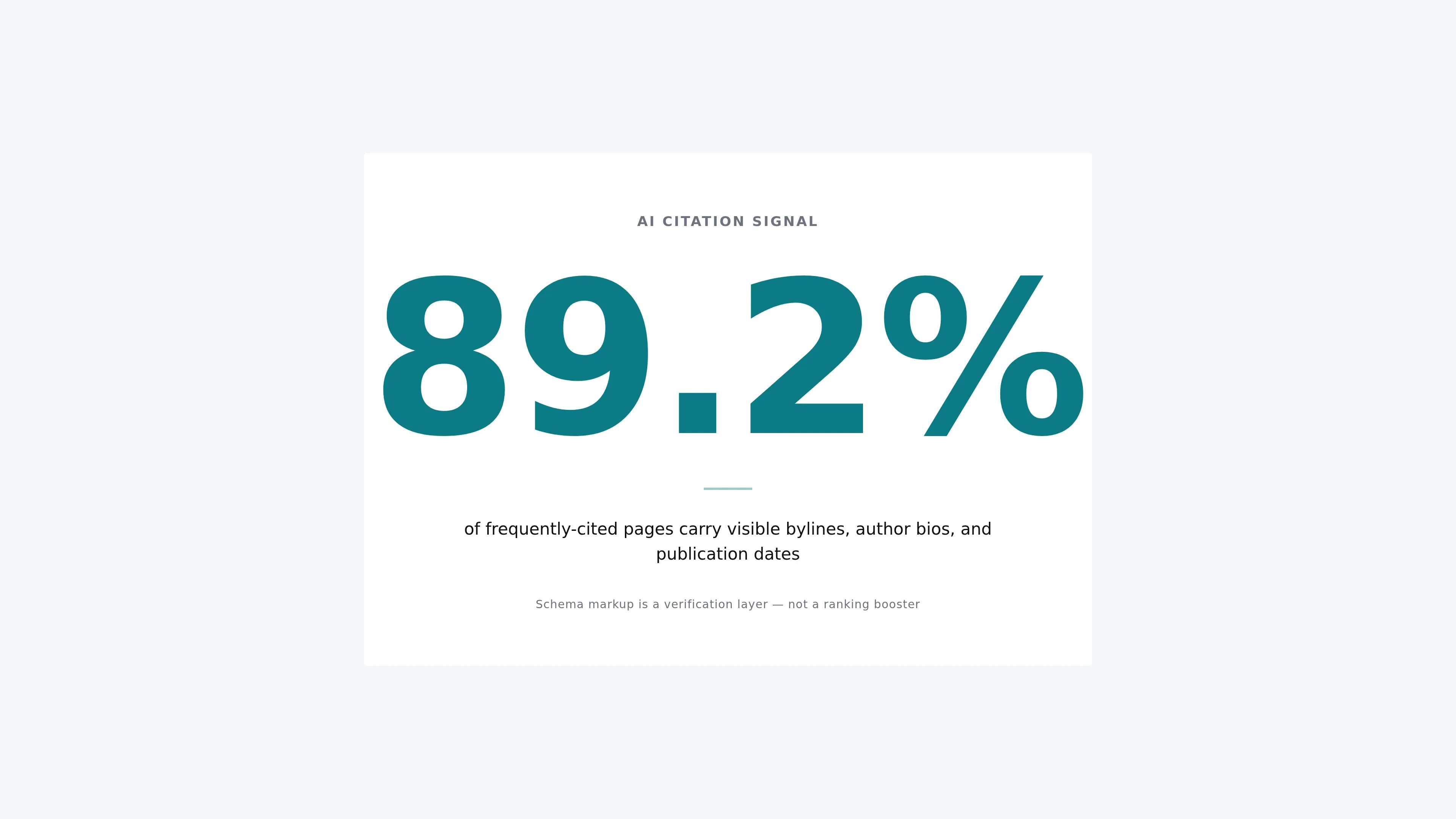
The AI-citation data drives the point home. Visible signals-bylines, author bios, and publication dates rendered right there in the HTML-independently account for 89.2% of frequently-cited pages. Markup that describes an author who isn't visibly credited on the page adds little on its own. Schema works as a verification layer: it confirms, in machine-readable form, the relationships and expertise your prose already puts in front of readers.
SEO content that ranks, written and published for you
GetTraffic creates authority-building content clusters for your business. No writing, no freelancers, no content calendar. Agency-quality results at 91% less cost.
Start My Free TrialYour Schema Implementation Roadmap
Roll out article schema in four stages: start with the required Article type and its four core fields, add the recommended Organization and BreadcrumbList layers, deploy optional FAQPage or subtypes where content warrants, then validate every field before publishing. Building schema generation into your workflow keeps that sequence consistent across every article.
Sequencing matters because each layer assumes the one below it. Here's the order to work in:
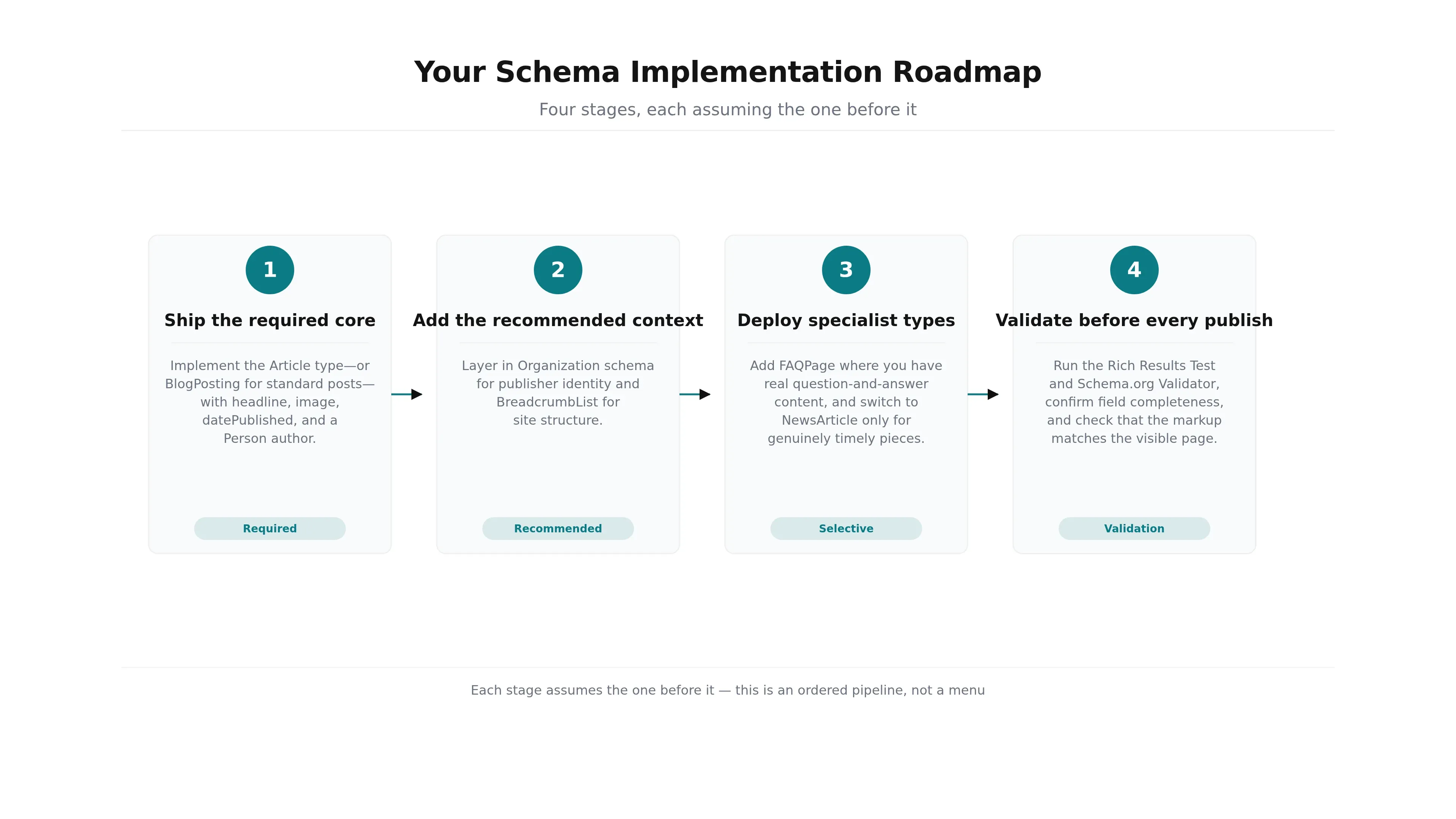
- Ship the required core. Implement the Article type-or BlogPosting for standard posts-with headline, image, datePublished, and a Person author. Nothing else ships until this is solid.
- Add the recommended context. Layer in Organization schema for publisher identity and BreadcrumbList for site structure.
- Deploy specialist types selectively. Add FAQPage where you have real question-and-answer content, and switch to NewsArticle only for genuinely timely pieces.
- Validate before every publish. Run the Rich Results Test and Schema.org Validator, confirm field completeness, and check that the markup matches the visible page.
The step that decides whether this holds up over time is the last one: integration. Doing it per-article by hand guarantees drift-some posts get full coverage, others slip through with a missing author or an unvalidated block. Building schema generation and validation into the publishing workflow itself is how content teams keep coverage consistent at scale. Platforms like GetTraffic generate Article, Organization, BreadcrumbList, and FAQPage markup automatically and validate it before anything reaches the live index, so the checklist effectively runs itself on every post.
Article schema won't rewrite your rankings, and it was never meant to. What it does is make your best content legible-to Google's rich results and to the AI engines increasingly deciding who gets cited. Get the required Article fields right, surround them with Organization and BreadcrumbList context, add FAQPage and the correct subtype where your content earns it, and validate every field before you publish.
Do that consistently and you close the gap between content that's good and content that's actually visible. The checklist itself is short; the discipline is in running it on every article, every time.
Common Questions About Article Schema
What is article schema?
Article schema is structured data-usually written in JSON-LD-that labels an article's key metadata so search engines and AI systems can read it directly. It declares the headline, image, publication date, and author, and often the publisher organization. Rather than forcing a crawler to infer what a page is, article schema states it explicitly, making the content eligible for rich results and AI answer-engine citation.
What's the difference between Article, NewsArticle, and BlogPosting schema?
All three describe article content and share the same core fields, but they signal different formats. Article is the general parent type. NewsArticle suits timely, journalistic reporting where recency matters. BlogPosting fits standard blog content like tutorials, opinion, and evergreen explainers. Choose the subtype that matches your content honestly-switching costs no extra metadata but sharpens what search engines and AI engines understand about the piece.
Does article schema improve my Google rankings?
No. Article schema makes content eligible for rich results and readable by AI engines, but it isn't a ranking factor. Google evaluates helpfulness, originality, and authority independently of whether markup is present. Schema functions as a verification layer that confirms signals your content already shows-visible bylines, dates, and expertise. Publish genuinely useful content first, then add markup to make those signals machine-readable.
Which tools validate article schema before publishing?
Two free tools cover validation. Google's Rich Results Test confirms whether your markup is readable and which rich result types the page qualifies for. The Schema.org Validator checks syntactic and semantic correctness, flagging misspelled properties and wrong value types that would make a crawler discard the block. Run both on every article, and check field completeness-valid markup missing the author or date still leaves signals unused.
References & Further Reading
Get your business on page 1 of Google
Get your business found on Google - SEO content written and published automatically.
Start My Free Trial7-day free trial